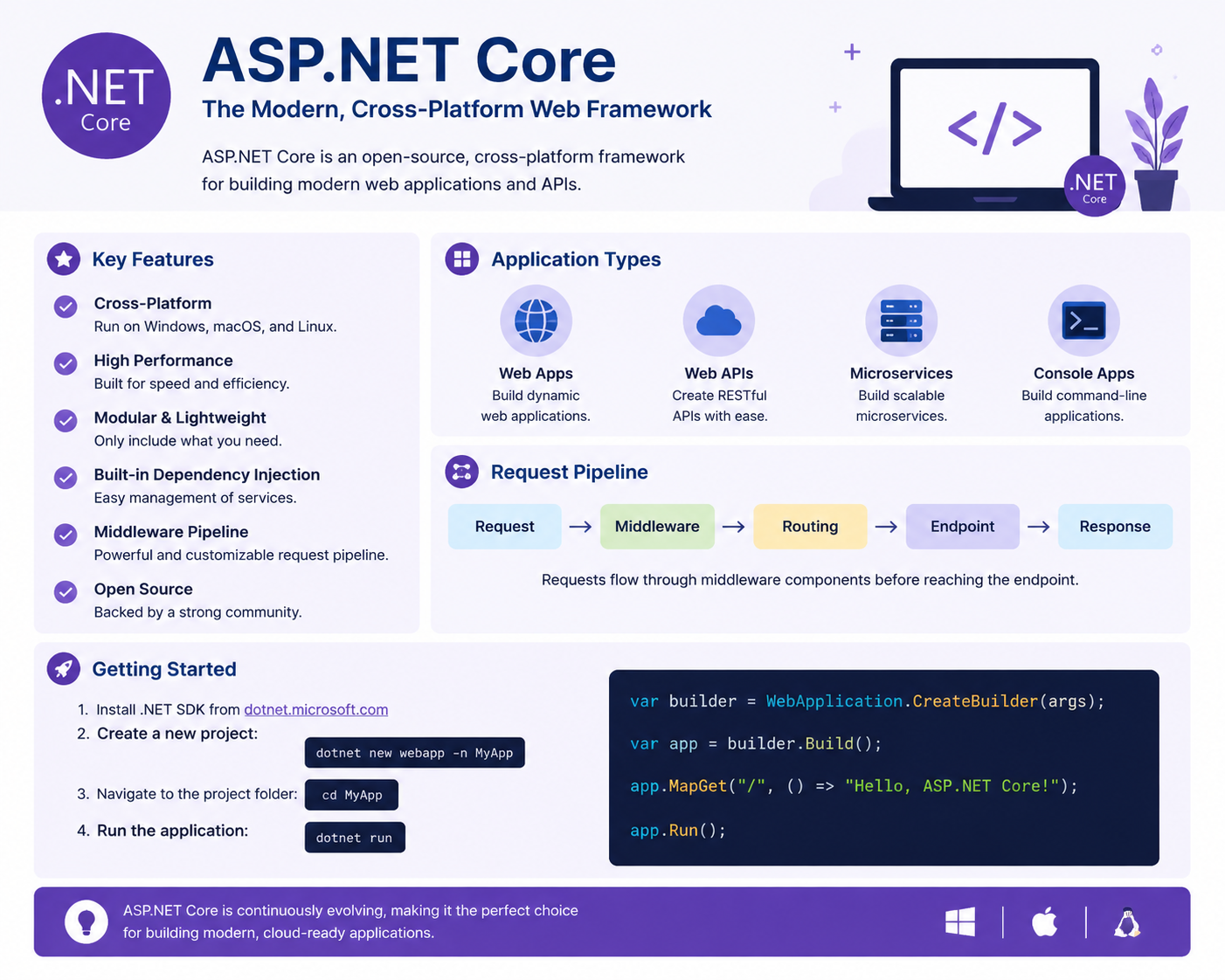
Getting Started with ASP.NET Core: A Beginner’s Guide
ASP.NET Core is a modern, open-source web framework developed by Microsoft for building web applications, APIs, and cloud-based services. Unlike its predecessor ASP.NET, ASP.NET Core is cross-platform, meaning you can run your applications on Windows, macOS, and Linux. This flexibility has made it a popular choice for developers looking to build high-performance and scalable web solutions.
What Makes ASP.NET Core Special?
One of the key features of ASP.NET Core is its modular design. The framework is lightweight and uses a dependency injection system built right in. This allows developers to create maintainable, testable, and loosely coupled applications. Additionally, ASP.NET Core supports asynchronous programming using async and await, which helps applications handle multiple requests efficiently without slowing down.
Another advantage is its integration with modern frontend frameworks like Angular, React, and Vue.js. You can combine ASP.NET Core with these technologies to build full-stack web applications with a clean separation between client and server logic.
Setting Up Your First ASP.NET Core Project
To start with ASP.NET Core, you need to install the .NET SDK from the official .NET website. Once installed, you can create a new project using the command line or Visual Studio. Here’s a simple command to create a web application:
dotnet new webapp -n MyFirstApp
This command creates a basic project structure, including folders for Pages, wwwroot (for static files), and a Program.cs file which is the entry point of your application.
Understanding the Project Structure
Program.cs: This file contains the code to configure and run your application. It sets up the web server, middleware, and services your app will use. In ASP.NET Core, this is where you define routing and other application behaviors.
Startup.cs (optional in newer versions): Previously, this file was used to configure services and middleware. In modern ASP.NET Core, this setup is often done directly in
Program.cs.Pages / Controllers: For MVC applications, controllers handle requests and send responses. In Razor Pages applications, pages themselves manage both logic and view.
wwwroot: This folder holds static files like images, CSS, and JavaScript.
Handling Requests and Responses
ASP.NET Core uses a middleware pipeline to process HTTP requests. Middleware components are small pieces of code that handle tasks like authentication, logging, routing, and serving static files. You can add or remove middleware easily, making your application flexible and efficient.
Connecting to a Database
For most applications, you’ll need to interact with a database. ASP.NET Core works well with Entity Framework Core (EF Core), an Object-Relational Mapper (ORM) that simplifies database operations. With EF Core, you can perform CRUD operations (Create, Read, Update, Delete) using C# code without writing raw SQL queries.
Conclusion
ASP.NET Core is a powerful framework that combines performance, flexibility, and modern development practices. Its cross-platform nature, built-in dependency injection, and seamless integration with modern frontend frameworks make it an excellent choice for beginners and experienced developers alike. By understanding the basics—project structure, middleware, and database integration—you can start building your first web applications and take your coding skills to the next level.